


The Atlantic
4.8605.00 Reviews
App Specs
- Version
- 2.8.6
- Updated On
- License
- Free
- Downloads
- 100,000+
- Developer
- The Atlantic Monthly Group LLC
- Categories
- News & Magazines
- Platform
- Android
Screenshots

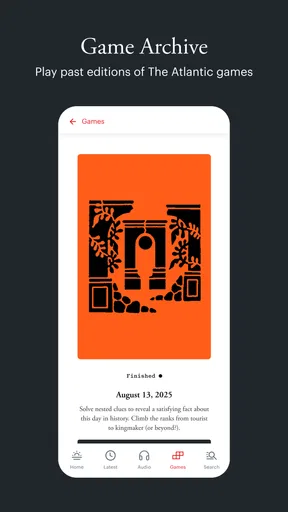
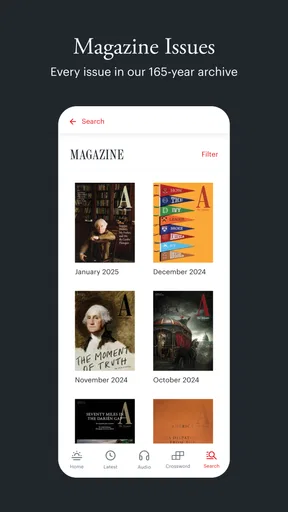
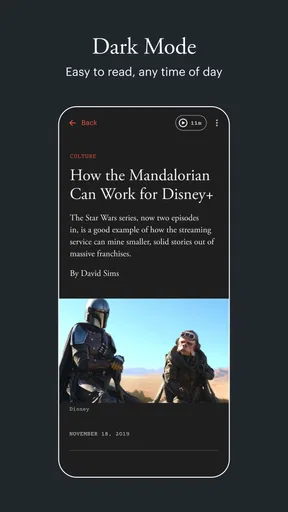
 Analysis by AppCompare
When I want more than a quick headline, I reach for The Atlantic. It’s a reading app from The Atlantic Monthly Group LLC, built around journalism and essays on politics, culture, science, technology, and other subjects. I find it most useful when I have the attention for a considered article rather than just a moment to skim breaking-news alerts. If you like understanding why a story matters, its editorial style can make a welcome change from a feed designed to keep you scrolling.
What the app is like now
The Atlantic sits in the news and magazines category, but it feels closer to a digital magazine than to an all-purpose headline aggregator. The focus is on reading complete pieces, with reporting and commentary that can give a subject room to develop. That emphasis is a strength when I want context; it is less useful when I simply need a fast, constantly refreshed list of developments.
The Android app is free to install, rated for Everyone, and has reached over 100,000 installs. Its average is 4.9 from around 4,500 ratings, alongside more than 500 written reviews. Those figures suggest readers respond well to the experience, though they do not tell me whether the subscription model or the publication’s point of view will suit every reader.
The current Android version is 2.7.2, and the app runs on Android 7.0 or later. That gives people with older compatible devices a chance to use it, while keeping the practical decision simple: check your device’s Android version before downloading. The app is free to start, with in-app purchase options ranging from $7.99 to $79.99 per item, so I would look carefully at the available access choices before committing to anything.
How its editorial approach shapes the experience
What distinguishes the app for me is not sheer volume but the room it gives individual pieces. Politics coverage can connect immediate events to institutions and ideas; cultural writing can spend time with a book, person, or trend rather than reducing it to a reaction. That depth is rewarding if you like following an argument, but it asks for more time than a short news alert.
I also appreciate having several kinds of reading in one place. When I open it with no particular subject in mind, I can move from a current-affairs analysis to a piece about culture or science without switching between separate publications. That makes it a useful companion for readers with broad interests, although anyone looking for narrow, specialist coverage may still want a dedicated source alongside it.
What has changed—and what that tells me
The app was released on August 31, 2021, and its current version is 2.7.2. That gives a useful point of reference: this is an established digital reading product, not a brand-new launch whose longer-term direction is still entirely unknown. The version number alone does not tell me which features were added or how the interface changed, so I would not treat it as proof of a particular redesign or new capability.
Worth Reading Before You Choose

Flipboard Shows What News Apps Must Do Beyond the Feed

Switching to Android Auto Means Rethinking Your Driving Routine

Google Calendar Makes a Crowded Week Easier to Manage

Ludo King Makes the Most of the Minutes Between Plans

Baby Panda World Brings Quick Play to Modern Phones, but Its Game Library Feels Busy

ESPN’s Live Game View Makes Following Close Games Easier
For an existing reader, the practical question is whether the current app continues to make regular reading convenient. The basic appeal remains straightforward: access the publication’s work on a phone, find something relevant, and spend time with it when your schedule allows. I would judge any future changes by whether they make discovery and reading smoother, not simply by whether the version number increases.
Who will get the most from it
I think it suits people who want journalism with context and are willing to give an article more than a few minutes. It can also work well for someone who reads in small pockets of time but likes to save a longer piece for later. A commute, a lunch break, or a quiet stretch at the end of the day can all become a chance to read something more substantial than a stream of headlines.
On the other hand, I would not make it my only news source if I needed fast alerts, a broad survey of many publishers, or highly local updates. A general news aggregator is usually better for comparing multiple outlets quickly; a live-news service is better when speed matters most. The Atlantic makes more sense as a deliberate reading choice than as a replacement for every other way of following the news.
Where the trade-offs show up
The main friction is access. The app is free to download, but some reading may require paid access, and the listed in-app purchases span a wide range. Before starting a purchase, I would check what the selected option covers and whether it matches how often I expect to read. If I only open the app occasionally, paying for access may feel harder to justify than it would for someone who reads several pieces each week.
There is also a difference between choosing topics and getting a perfectly personalized news feed. The app’s appeal is tied to The Atlantic’s editorial selection and voice, not to an endless, neutral catalogue of every perspective. I would pair it with other sources when I want to compare interpretations of a contentious issue. That is a sensible reading habit in general, and especially useful when an article makes a strong argument.
What I would keep an eye on
For current users, I would watch whether updates improve the everyday path from opening the app to finding and finishing a story. A reading app earns its place through small conveniences: clear organization, reliable access to saved pieces, and a layout that does not get in the way of concentration. The current version is a concrete reference point, but future changes should be judged by what they actually improve rather than by assumptions about features not established here.
My overall view is that The Atlantic is best treated as a focused companion for thoughtful reading. It is not the right fit for everyone, particularly readers who want only free, rapid-fire headlines or a single app covering every local and international source. But if you value essays and reporting that take time to make a case, it is an appealing place to spend that time.
What’s the Buzz About?
First off, The Atlantic has been around for a while, renowned for its thought-provoking articles and insightful journalism. The app brings all of that right to your fingertips. You get access to a treasure trove of essays, interviews, and reports that cover an impressive range of topics.
Easy Peasy Navigation
One thing I loved about the app is how user-friendly it is. The interface is clean and intuitive, letting you dive straight into the content without any fuss. Whether you’re a tech wizard or someone who just got their first smartphone, you’ll find it super easy to navigate.
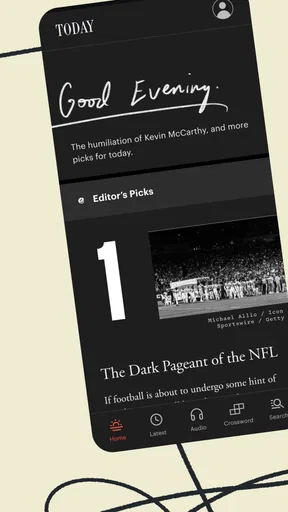
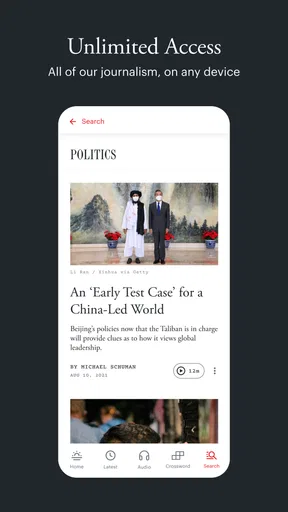
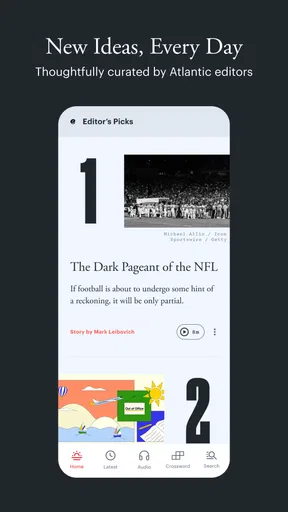
When you open the app, you’re greeted with a well-organized home screen. Articles are neatly categorized, making it a breeze to find what you’re interested in. Plus, there’s a handy search function if you’re looking for something specific.
Content Galore
Now, let’s talk about content. The app gives you access to a mix of long-form articles and shorter reads, catering to whatever mood you’re in. You can explore everything from in-depth analyses of current events to engaging cultural pieces. The diversity in topics is truly impressive.
One of my favorite features is the daily briefing. It’s perfect for those days when you’re in a rush but still want to stay informed. It gives you a quick rundown of the top stories, so you’re always in the loop.
Customization and Personalization
Another cool thing about the app is how personalizable it is. You can tailor it to suit your reading preferences. Want more politics and less tech? No problem! The app lets you customize your feed, so you get more of what you love.
And if you’re someone who likes to save articles for later, you’re in luck. There’s a nifty bookmark feature that lets you store articles to read at your leisure. Perfect for those long commutes or lazy Sunday mornings.
Offline Access
We’ve all been there—stuck without Wi-Fi or data and craving some reading material. Well, with this app, you can download articles to read offline. It’s a lifesaver for those long flights or when you’re out in the boonies with zero reception.
Subscription and Access
Now, let’s talk about access. Some content is free, but to unlock the full experience, you’ll need a subscription. It’s a worthwhile investment if you’re someone who values quality journalism. Plus, subscribers get access to exclusive content that’s not available anywhere else.
There’s also a free trial available, which is perfect if you want to test the waters before diving in. It gives you a taste of what the app offers, and trust me, you might just get hooked.
A Few Final Thoughts
Overall, I’ve really enjoyed my time with this app. It’s a fantastic tool for anyone who loves to read and stay informed. The quality of the content is top-notch, and the app itself is a joy to use.
Whether you’re a news junkie, a culture vulture, or just someone who enjoys a good read, The Atlantic app has something for you. So, why not give it a whirl? You might just find it’s exactly what you’ve been looking for.
Pros
- High-quality journalism and analysis.
- Wide range of topics covered.
- Ad-free experience for subscribers.
- Offline reading available.
- Customizable notifications.
Cons
- Requires subscription for full access.
- Occasional app performance issues.
- Limited multimedia content.
- No dark mode option.
- Requires internet for updates.
FAQs for The Atlantic
What is The Atlantic app?
The Atlantic app offers users access to insightful articles, in-depth analyses, and exclusive content covering a wide range of topics, including politics, culture, science, and technology. Users can stay updated with the latest news and explore thought-provoking stories curated by The Atlantic's expert editors.
Is The Atlantic app free to use?
The Atlantic app is free to download and offers some content at no cost. However, to access premium features and exclusive articles, users may need to subscribe to a paid plan. Subscription options vary, and details are available within the app or on The Atlantic’s website.
What devices are compatible with The Atlantic app?
The Atlantic app is compatible with both Android and iOS devices. It can be downloaded from the Google Play Store for Android users and the Apple App Store for iOS users. Ensure your device meets the minimum operating system requirements for optimal performance.
How do I manage my subscription on The Atlantic app?
You can manage your subscription directly through the app or via your device’s app store account settings. This includes upgrading, canceling, or modifying your subscription plan. For detailed guidance, refer to the app’s help section or visit The Atlantic’s customer support page.
Can I read articles offline on The Atlantic app?
Yes, The Atlantic app allows users to save articles for offline reading. This feature is particularly useful for those who want to enjoy content without an internet connection. Simply download the articles while online, and access them later at your convenience.


